
How To Choose Your App Notifications
Pick push, email and text updates for finished memories, studio messages and planning reminders, and set Quiet Hours.
Quick Answer
Open Notification Settings in the Candid Studios app. Turn Push notifications, Email and Text messages on or off for each group, and use Quiet Hours to pause routine push and text notifications overnight.
- Push, Email, Text per group
- Quiet Hours overnight pause
Notification Settings in the Candid Studios app lets you choose how we keep you updated, group by group.
Step 1
Choose Your Updates In Notification Settings
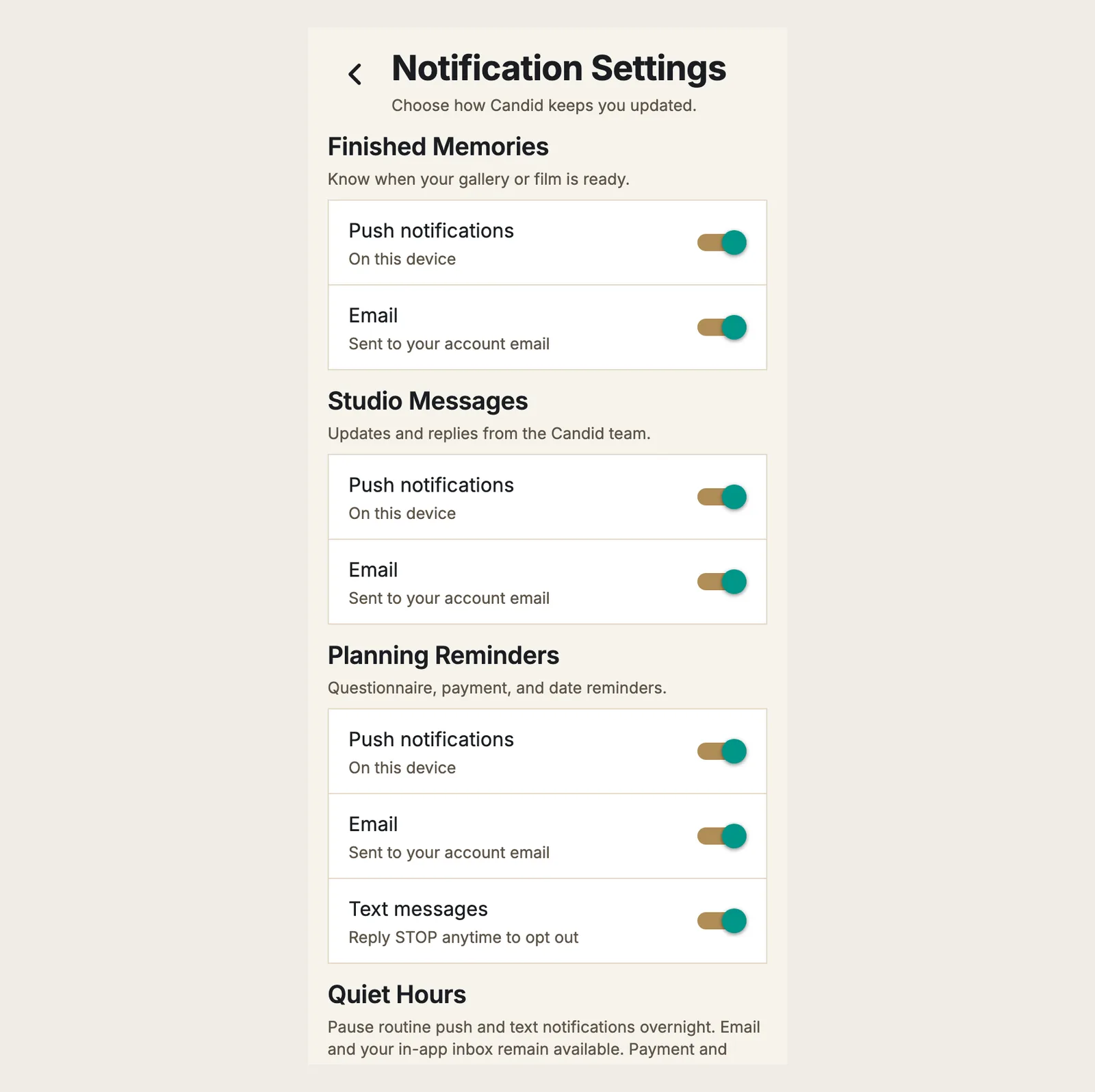
Each group has its own switches:
- Finished Memories: know when your gallery or film is ready.
- Studio Messages: updates and replies from the team.
- Planning Reminders: questionnaire, payment, and date reminders.
Every group has Push notifications, on this device, and Email, sent to your account email. Planning Reminders also has Text messages.
Good To Know
- Quiet Hours pauses routine push and text notifications overnight. Email and your in-app inbox remain available. Payment and account alerts may still arrive.
- Quiet Hours can be Off or set to an overnight window.
- For text messages, you can reply STOP anytime to opt out.
Frequently Asked Questions
How do I stop text messages?
Turn off Text messages under Planning Reminders. You can also reply STOP anytime to opt out.
Will Quiet Hours block everything?
No. Quiet Hours pauses routine push and text notifications overnight. Email and your in-app inbox remain available, and payment and account alerts may still arrive.
How will I know when my gallery or film is ready?
Keep Finished Memories turned on. It lets you know when your gallery or film is ready.
Still Need Help?
Message us from your client portal or email support@candidstudios.net.
Contact UsRelated Articles
- How To Use The Candid Studios AppFind your event details, Guest Camera, documents and shot list in the Candid Studios app.
- How To Message The Candid Studios TeamSend a message about your event from your client portal, or reach us by email.
- How Photo And Film Delivery WorksHow long editing takes, where your photos, film and RAW files appear, and why you sign a release before downloading full-resolution photos.
Last updated 1 min read