
How To Message The Candid Studios Team
Send a message about your event from your client portal, or reach us by email.
Quick Answer
Choose Help in the sidebar, then Open messages under Message Candid. You can also use the Message button next to a team member on Home. We usually reply within one business day.
- One business day usual reply
- Messages in your portal
Your client portal's message thread is the best place for questions about your day, and we usually reply within one business day.
Step 1
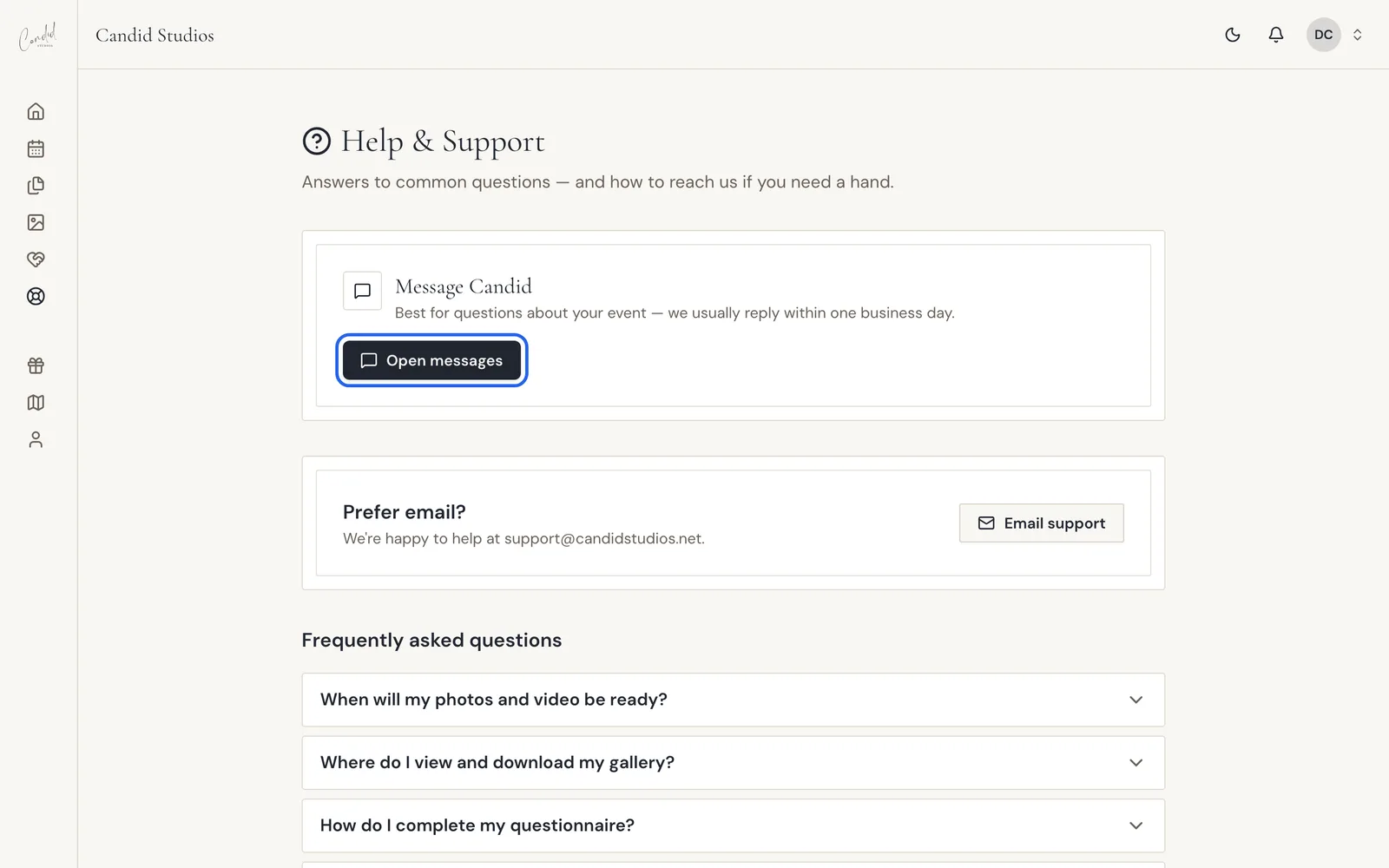
Open Help And Choose Open Messages
Choose Help in the sidebar. Under Message Candid, choose Open messages. The same page has our support email and answers to common questions.
Step 2
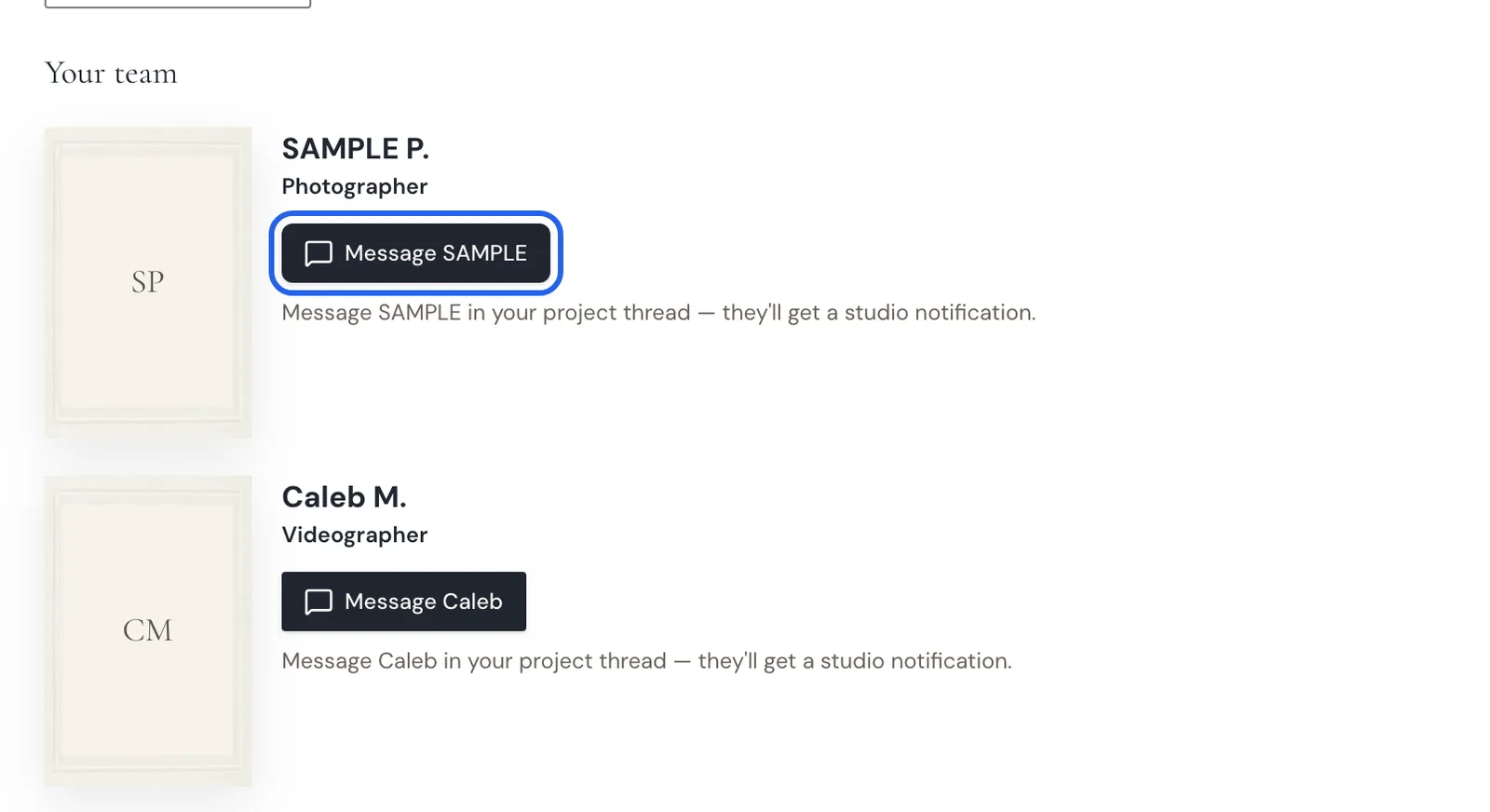
Or Message Someone On Your Team
Your Home page lists Your team for the event. Choose Message next to a team member. Your message goes into your project thread and they get a studio notification.
Step 3
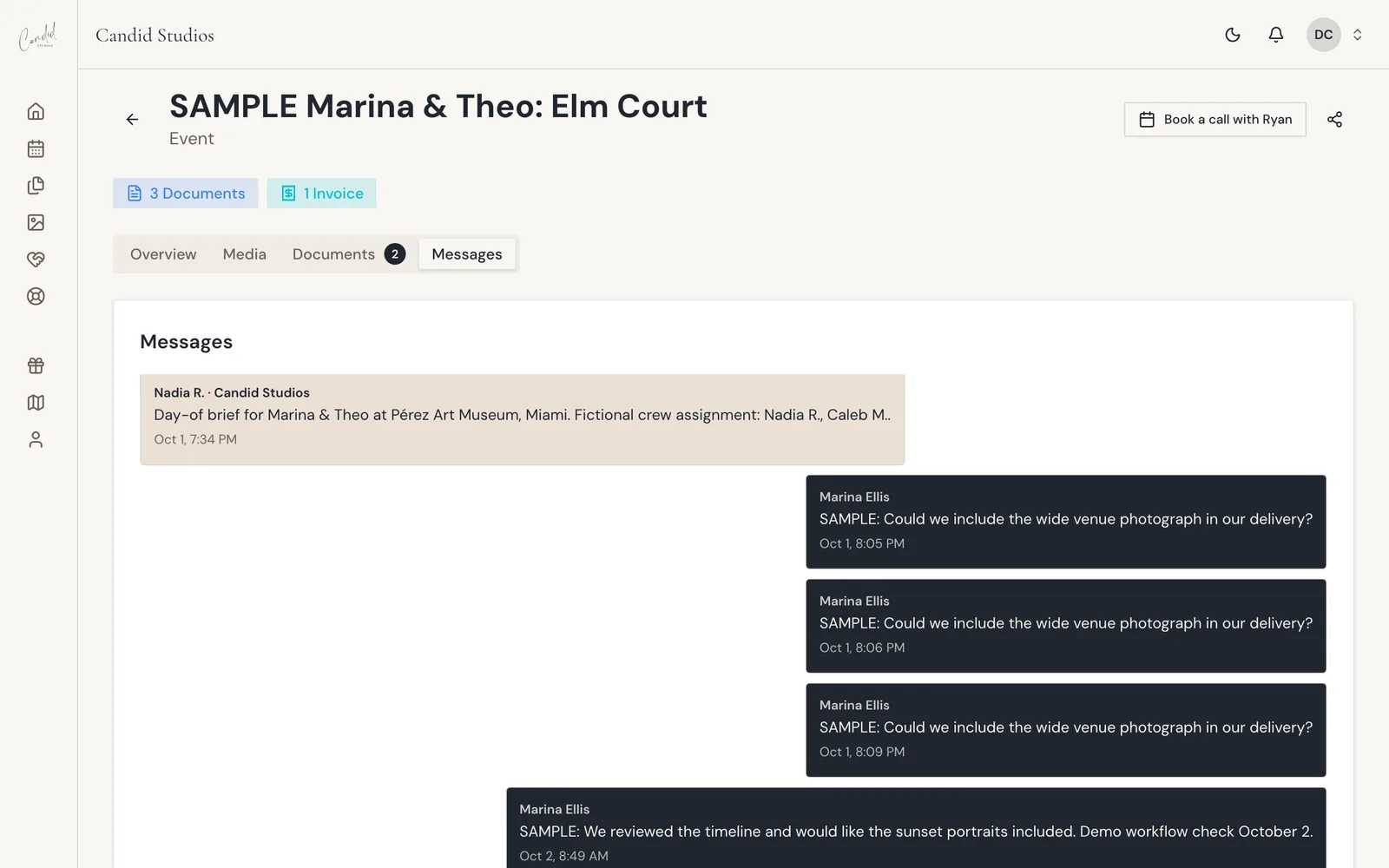
Write In Your Project Thread
Messages open on your event page, in the Messages tab. Type your question and send it. Earlier messages stay in the thread so you can look back at them.
Good To Know
- You can start a message from Home or Event with Message Candid, or open your project's Messages tab.
- The Help page also lists common questions, such as when your photos and video will be ready.
- Prefer email? Use Email support, or write to support@candidstudios.net.
- Your Candid Studios thread shows once your event is on the books.
If Something Looks Different
- "We couldn't load your messages." Your thread did not load, so try again, or email support@candidstudios.net.
- "No messages yet. Send us a note about your project, we're happy to help." Your thread is empty, so type the first message.
- "We couldn’t confirm this message was sent. Your text is saved here; retrying it won't create a duplicate."
- "Your photographer and videographer will appear here once they're assigned." Until then, message us from Help.
More fixes are in Client Portal Troubleshooting.
Frequently Asked Questions
How quickly will I hear back?
We usually reply within one business day.
Can I email instead?
Yes. Email support@candidstudios.net at any time.
What is the best thing to message about?
Message Candid is best for questions about your event and your day.
What if my message does not seem to send?
The portal may say it could not confirm the message was sent. Your text is saved there, and retrying it will not create a duplicate.
Why can I not see my photographer or videographer?
Your photographer and videographer appear in your portal once they are assigned.
Still Need Help?
Message us from your client portal or email support@candidstudios.net.
Contact UsRelated Articles
- How To Invite Your Partner To Your Client PortalGive your partner their own access to your event so you can plan together.
- How To Get Proof Of Insurance For Your VenueDownload our certificate of insurance or copy a link to forward to your venue coordinator.
- Client Portal TroubleshootingFixes for common client portal messages, from watermarked photos and a locked questionnaire to download errors and empty pages.
Last updated 2 min read