
How To Update Your Account Details And Password
Update your name, photo, contact info and password from your client portal.
Quick Answer
Choose Account at the bottom of the sidebar. Update your name, photo or contact details and choose Save changes. To change your password, use Change password in the Security section.
- Account in the sidebar
Your Account page holds your name, photo, password, and how we reach you.
Step 1
Open Your Account Page
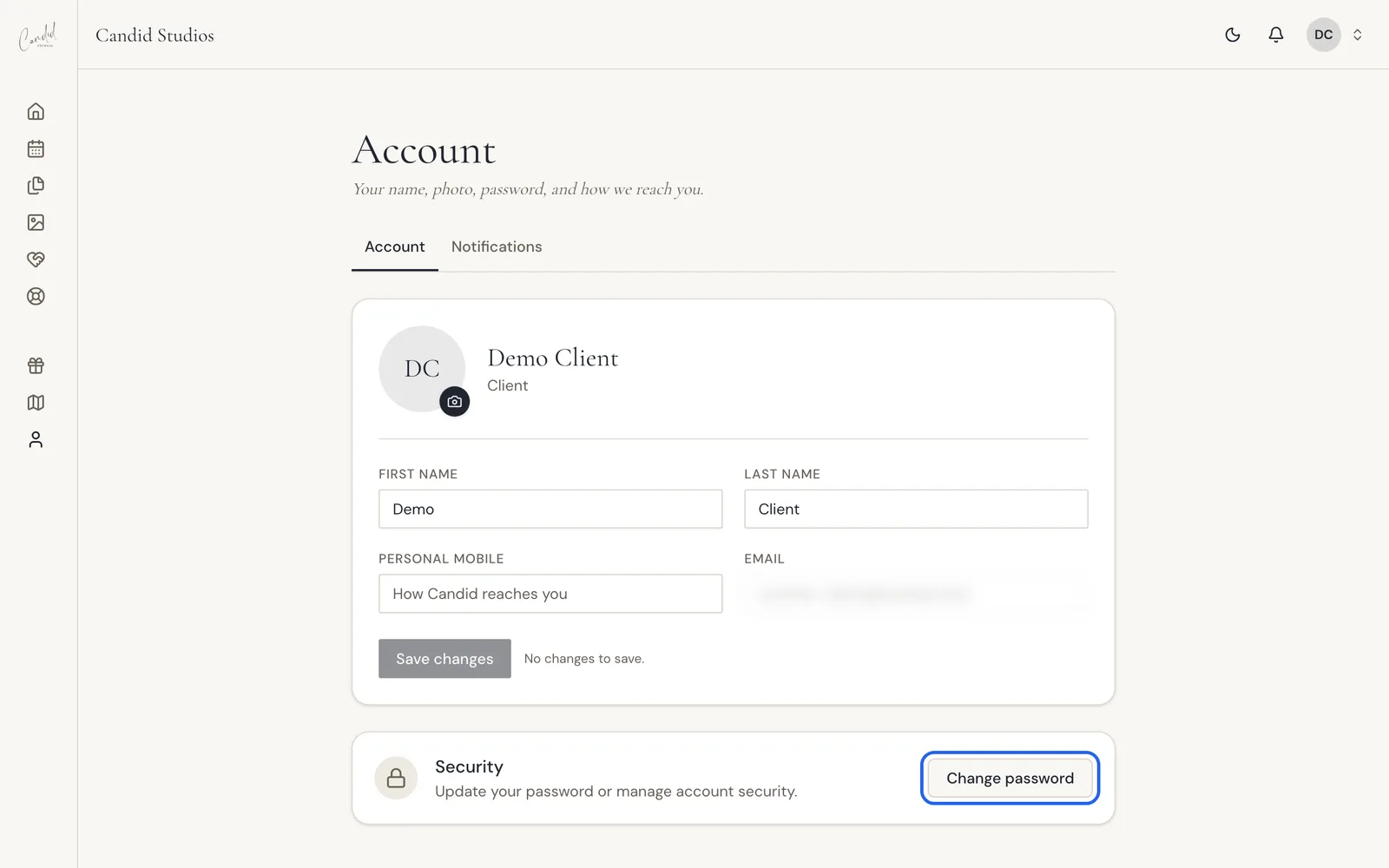
Choose Account at the bottom of the sidebar. The page shows your photo with a Change photo option, first and last name, personal mobile, email and a Save changes button. A Security section includes Change password. A Notifications tab sits next to Account.
Good To Know
- The page is for "your name, photo, password, and how we reach you."
- Your photo has a Change photo option.
- The Security section says: "Update your password or manage account security."
- The page uses Save changes for your name, photo and contact details. Changing your password is a separate button, Change password.
Frequently Asked Questions
How do I change my password?
Open Account and choose Change password in the Security section.
How do I change my photo?
Open Account and choose Change photo next to your photo.
Which details can I update?
The Account page has fields for your first name, last name, personal mobile and email, plus your photo.
Where are my notification settings?
A Notifications tab sits next to Account at the top of the page.
Why does Save changes say there is nothing to save?
The page shows the message No changes to save when you have not edited anything yet.
Still Need Help?
Message us from your client portal or email support@candidstudios.net.
Contact UsRelated Articles
- How To Invite Your Partner To Your Client PortalGive your partner their own access to your event so you can plan together.
- How To Get Proof Of Insurance For Your VenueDownload our certificate of insurance or copy a link to forward to your venue coordinator.
- Client Portal TroubleshootingFixes for common client portal messages, from watermarked photos and a locked questionnaire to download errors and empty pages.
Last updated 1 min read