
How To Invite Your Partner To Your Client Portal
Give your partner their own access to your event so you can plan together.
Quick Answer
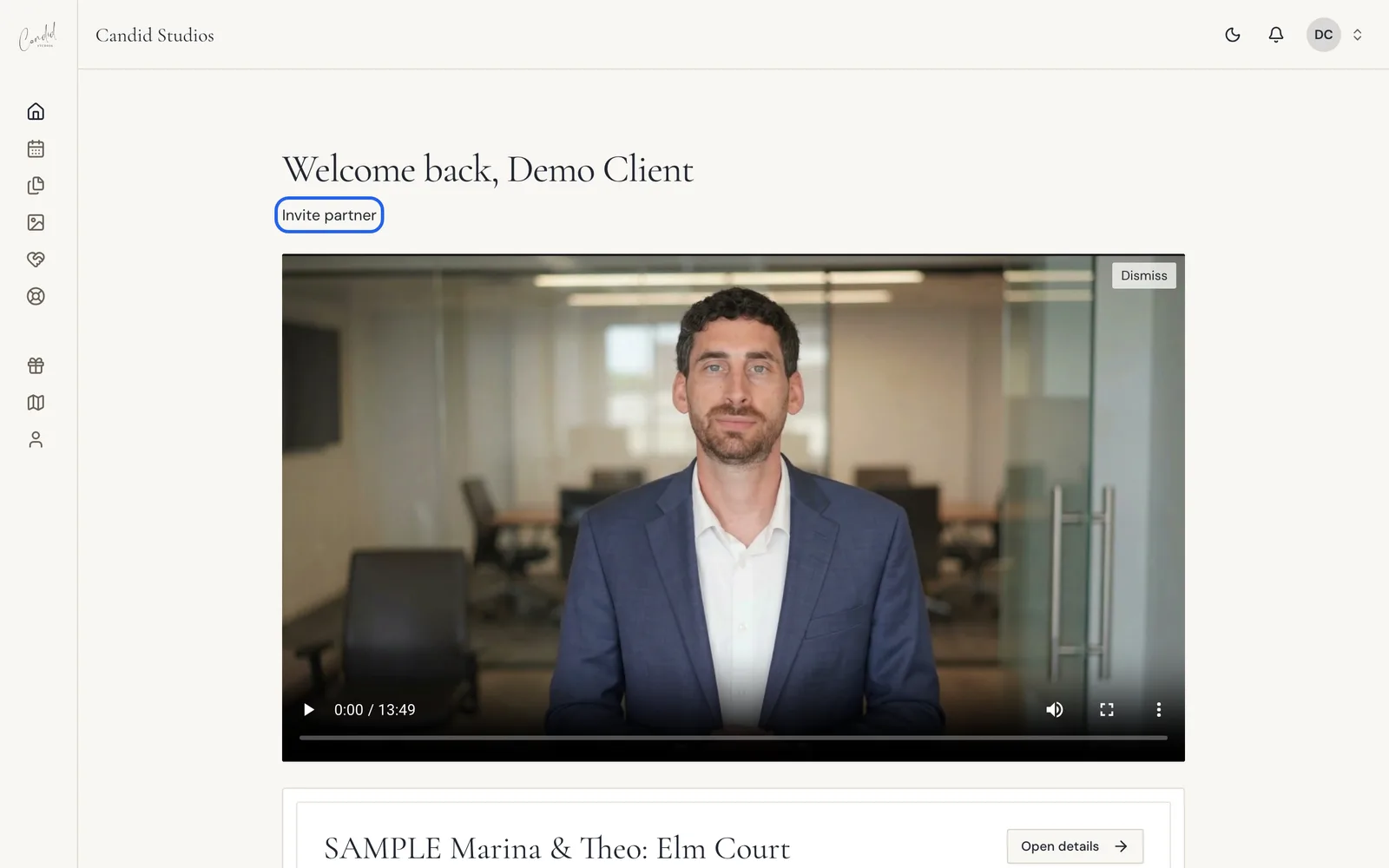
On your Home page, choose Invite partner under the welcome heading. Enter their details in the form and choose Send invitation. They get access to planning, documents and messages.
- Home where to start
- Email invitation
Your partner can have their own access to your event in the Candid Studios client portal, with the same planning tools, documents and messages you see.
Step 1
Choose Invite Partner On Your Home Page
On your Home page, choose Invite partner under the welcome heading.
Step 2
Enter Their Email And Send
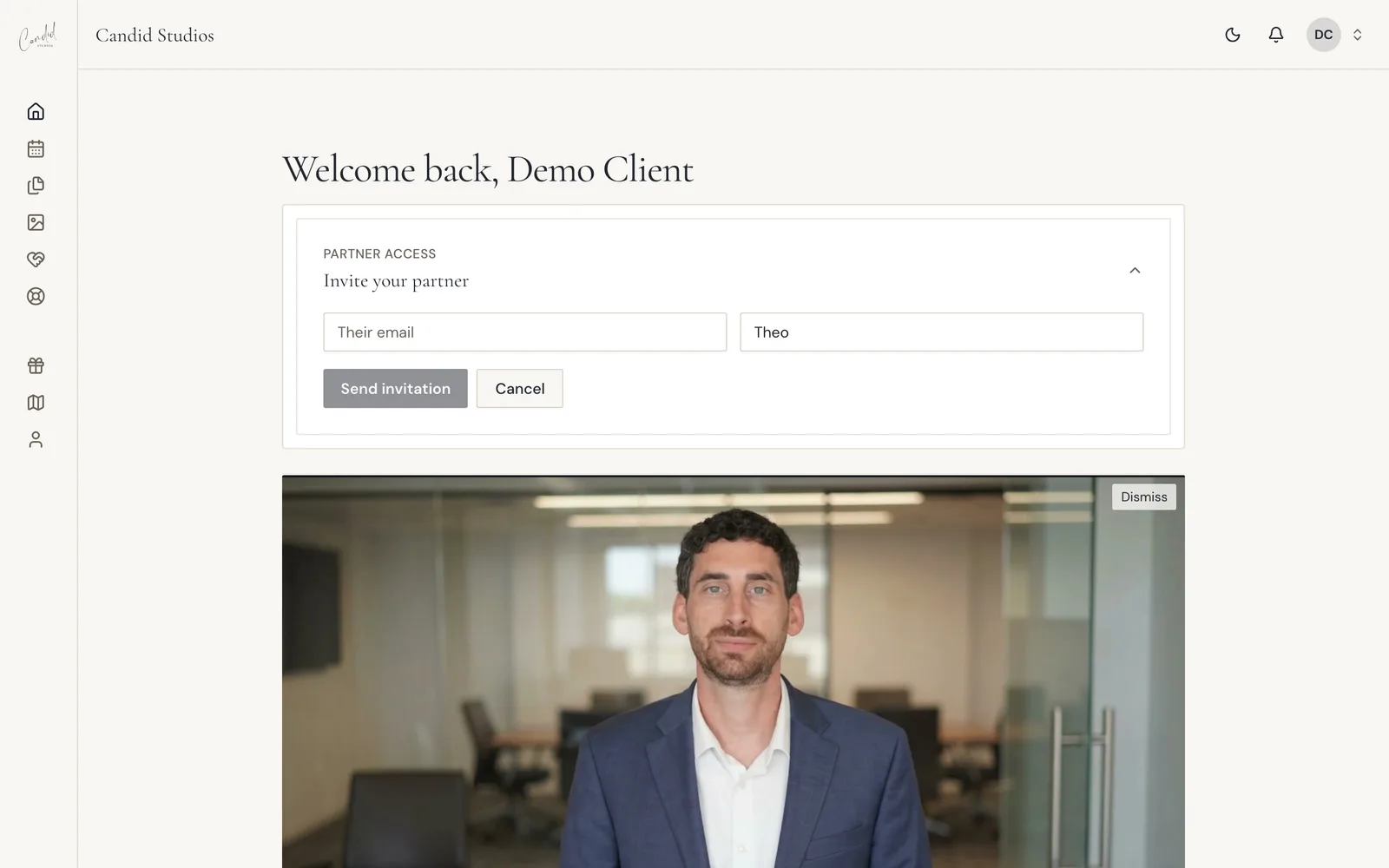
In the Partner access card, enter your partner's details and choose Send invitation. They will receive an invitation to join your event.
Good To Know
- The portal describes this as giving them access to planning, documents and messages.
- The card is labeled Partner access and is headed Invite your partner.
- The same card is on your Event page, so you can invite your partner from either place.
- Planning, documents and messages are the same places you use: see the questionnaire, payments and messaging articles.
If Something Looks Different
- If you do not see Invite partner on Home, look for the same card on your Event page.
- The form shows Cancel next to Send invitation, in case you open it by mistake.
Frequently Asked Questions
What can my partner see?
Your partner gets access to planning, documents and messages, so you can plan together.
Where else can I send the invitation from?
The same invite card is also on your Event page.
Can my partner see our event too?
Yes. On Home, use Invite your partner, or the same card on Event. They get access to planning, documents and messages so you can plan together.
What if I change my mind after opening the form?
The invitation form has a Cancel button next to Send invitation.
Still Need Help?
Message us from your client portal or email support@candidstudios.net.
Contact UsRelated Articles
- How To Message The Candid Studios TeamSend a message about your event from your client portal, or reach us by email.
- How To View And Download Your PhotosOpen your gallery from the client portal, then download every photo at once or save your favorites one by one.
- What To Expect After You Book With Candid StudiosFollow the Your Journey tracker in your client portal from booking to delivery, and see what to do at each stage.
Last updated 1 min read