Share YouTube Videos On Instagram | Tips And Tricks
Repurposing your YouTube videos for Instagram isn’t just a clever time-saver; it's a core strategy for getting your work in front of more people and connecting with entirely different segments of your audience. When you adapt that long-form YouTube content for Instagram's bite-sized, fast-paced world, you're building a powerful marketing bridge that drives traffic and engagement back and forth.
Why Sharing YouTube Videos On Instagram Is A Game Changer
For any modern creator, whether you're a wedding videographer or a brand storyteller, moving content between platforms is essential. It's all about creating a smart synergy between YouTube, where you build deep trust and authority, and Instagram, which is all about discovery and instant connection.
Think of it this way: YouTube is your main stage. It's where you premiere the full cinematic wedding film or the detailed corporate documentary. Instagram, on the other hand, is the teaser trailer, the place where you spark curiosity and create an immediate emotional hook.
Connecting With Two Distinct Audiences
People use these platforms for very different reasons. A YouTube viewer is often ready to settle in for longer, more in-depth content. An Instagram user is scrolling for quick, visually arresting moments that grab them in seconds.
By sharing your work on both, you get the best of both worlds:
- You can capture new attention on Instagram with a powerful, emotional 30-second clip.
- Then, you can build deep trust on YouTube with the full story behind that clip.
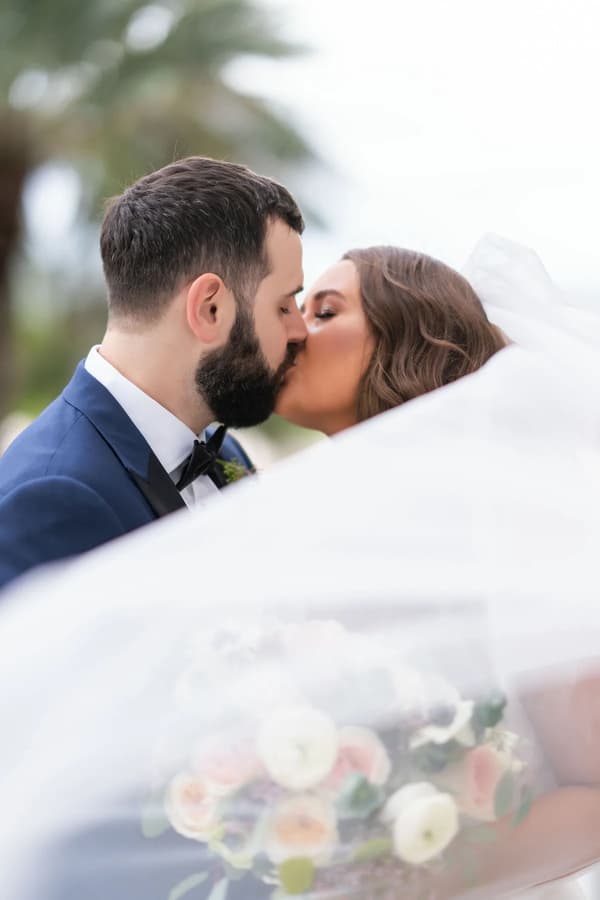
Imagine taking a stunning cinematic wedding film from your YouTube channel and turning it into a heart-stopping Instagram Reel. That single Reel can generate immediate inquiries from couples who might never have found your YouTube channel otherwise. Likewise, a corporate documentary can be sliced into a series of insightful Instagram Stories that build brand affinity over a week.
This approach makes your marketing so much more resilient because you're maximizing the value of every single video you produce. You're not just "posting"; you're telling a complete story across different channels, meeting potential clients exactly where they are. This is crucial to understand when you're weighing the benefits of a Reel vs. a post on Instagram, as each format plays a different role in your strategy.
The Business Case For Cross-Platform Sharing
What was once a niche tactic has become a mainstream distribution strategy over the last decade. Just look at the numbers. By 2023, YouTube had surpassed 2.5 billion active users, while Instagram grew to roughly 2 billion monthly active users.
For visual storytellers like us at Candid Studios, that massive overlap is where the magic happens. Millions of potential clients, from engaged couples to corporate marketing directors, start their search for vendors visually.
Many people use YouTube to research brands, while Instagram Reels and Stories are the formats they engage with most. This means a single YouTube wedding film can take on new life as a highlight Reel, since short-form video has become one of the most effective tools for engagement.
Preparing Your YouTube Video For Instagram Success
You can’t just drop a YouTube video link onto Instagram and expect it to perform. They’re two completely different worlds. Think of Instagram as a fast-paced, vertical-first environment where you have literally seconds to stop someone from scrolling. Preparing your video isn't about a simple upload; it's about re-imagining your content for a totally different audience and platform.
The very first thing you need is a clean, high-quality copy of your video. Your best bet is always the original master file you first uploaded to YouTube. Working from this source file means you have the highest possible resolution and won't have to deal with weird compression issues from re-downloading.
Reformatting For A Vertical World
Once you have the file, the real work begins. This is more than just cropping your horizontal (16:9) YouTube video, it's about thoughtfully reframing the action so it works on a vertical screen. A lazy crop can easily cut off the main subject or just feel awkward and confusing to watch.
Essentially, you're creating a new "director's cut" made specifically for Instagram. To get it right, you need to know the platform's technical rules inside and out. Following them helps your content play nicely with the algorithm.
Here are the key formats you'll be working with:
- Instagram Reels & Stories: These are all about the 9:16 aspect ratio (1080×1920 pixels). This full-screen vertical format is what users expect, and it delivers the most immersive experience.
- Instagram Feed Posts: You could go with a square (1:1) post, but a vertical 4:5 aspect ratio (1080×1350 pixels) is much smarter. It takes up more valuable screen space, making it harder to just scroll past.
Remember, the goal is to make your repurposed content feel native to Instagram. A video that’s properly formatted for a vertical screen instantly looks more professional and is more likely to be watched.
To make things easier, here's a quick cheat sheet for Instagram's video specs.
Instagram Video Requirements At A Glance
Instagram Placement
Recommended Aspect Ratio
Maximum Length
Recommended File Type
Reels
9:16
90 seconds
MP4 or MOV
Stories
9:16
60 seconds
MP4 or MOV
Feed Video
4:5 (Vertical)
60 minutes
MP4 or MOV
Getting these technical details right from the start saves you a ton of headaches later.
Finding The Most Powerful Moments
Let's be real: your 10-minute YouTube deep-dive isn't going to fly on Instagram, where attention is a scarce resource. Your next job is to be a ruthless editor. You need to sift through your video and find the absolute best, most compelling segment that can stand on its own. You're looking for gold.
Scan your YouTube video for those moments that deliver an immediate punch. Think about what would make someone stop and listen.
- The Hook: What's the most intriguing question, stunning visual, or surprising statement in your video? Start there.
- The Climax: Can you isolate the emotional peak? Maybe it’s the big reveal in a product demo or a powerful customer testimonial.
- The Core Message: Pull out a single, powerful tip or takeaway that gives your audience instant value.
Whatever clip you choose, it must grab the viewer within the first three seconds. This is non-negotiable on Instagram.
For businesses aiming to create killer video content, understanding how to adapt assets across platforms is a game-changer. Learning more about professional video production for businesses can help you plan for this from the very beginning, making the whole process much smoother.
By starting with a high-quality file, reformatting it for a vertical screen, and pulling out a powerful, attention-grabbing clip, you transform your YouTube video from a simple upload into a strategic piece of content built for Instagram success.
Choosing The Right Way To Share Your Video On Instagram
Okay, so you've got your YouTube video edited and ready for a vertical screen. Now for the fun part: figuring out the best way to share it on Instagram to actually get people to watch it. This isn't a one-size-fits-all situation. Each method has its own strengths, and the right choice really boils down to what you're trying to achieve with that specific video.
Think of it this way:
The main takeaway here is pretty straightforward. If your content is immersive and designed for a full vertical screen, it’s destined for Stories or Reels. For anything else, your Feed is the place to be.
Drive Immediate Clicks With The Story Link Sticker
For time-sensitive content, the Instagram Story Link Sticker is your most powerful tool. It's the most direct way to get someone to leave the app and watch your video right now. Think video premieres, limited-time offers, or any announcement where you need instant action.
Let's say you just dropped a new documentary short. You could post a killer still frame from the film to your Story with text like "Our New Film is LIVE" and pop the Link Sticker right on top with a simple "Tap to Watch." This works beautifully for your core audience, the followers who are already waiting for your next release.
Reach New Eyeballs With A Captivating Reel
If your goal is discovery, there's no better tool than Instagram Reels. The algorithm is designed to push Reels out to people who don't follow you yet, making it a massive opportunity for growth.
When you turn a YouTube video into a Reel, you're not trying to get an immediate click. You're trying to make a killer first impression. Grab a 30-60 second highlight, the most dramatic, funny, or visually stunning moment, and pair it with trending audio. The caption's job is to create curiosity and send them to your bio for the full story.
The Classic "Link In Bio" For Evergreen Content
The "link in bio" strategy has stood the test of time for a reason. It's perfect for your most important, foundational videos, the ones you want people to find easily, whether it's tomorrow or six months from now. This is where your main portfolio piece, your company's "About Us" video, or a behind-the-scenes look at your process should live.
Your Feed posts and Reels then act as signposts. A caption can easily end with something like, "Want to see the full story? We break down our entire process in the film linked in our bio!"
Your Instagram bio is some of the most valuable real estate on your profile. Using a service like Linktree or a custom landing page lets you showcase several key YouTube videos at once, turning that single link into a portal to all your best work.
Build Hype With A Feed Teaser
While Reels are built for short, attention-grabbing clips, a regular Feed video post gives you a bit more breathing room, up to 60 minutes, though you'll almost always want to keep it much shorter. This makes it a fantastic option for a more cinematic trailer or an extended preview of your YouTube content.
For example, if your YouTube video is a 15-minute case study, a 90-second trailer on your Instagram Feed can provide far more narrative and context than a quick Reel. For a deeper dive into these kinds of strategies, this complete practical guide on sharing videos from YouTube to Instagram offers some great additional ideas.
This approach is especially effective for things like event recaps, where you need to show multiple highlights to tell a compelling story. It's a technique that translates well from the world of live streaming services for events, where building excitement through well-crafted previews is key.
Essential Tools For Downloading And Editing Video
To get your YouTube video ready for Instagram, you’ll need the right tools in your corner. A smooth workflow makes all the difference, and it really starts with getting a clean, high-quality copy of your video off of YouTube in the first place. Your first step is to grab the video file, and a reliable YouTube Video Downloader tool is perfect for that.
With the file saved, you can move on to the creative part: editing. This is where you'll reshape your video to fit Instagram's vertical world. Most creators lean on one of two options: heavy-duty desktop software for total creative control or a fast-and-easy mobile app for quick edits on the fly.
Powerful Desktop Editing Software
For anyone serious about video, from professional creators to brands that demand pixel-perfect results, desktop software is the way to go. These programs give you incredible control over every single detail, whether it's fine-tuning the color grade or perfecting the audio mix.
- Adobe Premiere Pro: This is the industry gold standard, and for good reason. You get a powerful timeline, it plays nicely with other Adobe creative apps, and its features let you reframe and polish clips into something that looks slick and professional on Instagram.
- DaVinci Resolve: Once known mostly for its legendary color correction tools, Resolve has grown into a powerhouse video editor. The best part? Its free version is astonishingly capable, which is a huge win for creators who need professional quality without the professional price tag.
These desktop programs are your best bet when production value is key and you need to keep your brand's look and feel locked in across platforms. Picking the right one is often a matter of personal preference and workflow, just like when you're digging into a photo editing software comparison to see what fits best.
Efficient Mobile Editing Apps
Let's be honest, sometimes you just need to get it done now. Mobile apps are fantastic for this. They let you download, edit, and post a clip straight from your phone in a matter of minutes, a lifesaver for busy social media managers and solo creators.
Pro Tip: Always export in the highest quality setting your mobile app offers. Instagram is going to compress your video no matter what, so giving it a super sharp file to start with helps minimize the quality loss.
Here are a couple of mobile apps I see people using all the time:
- CapCut: This one is everywhere, and it’s easy to see why. It’s a breeze to add trending audio, cool text effects, and those super popular auto-captions. If you want to make a Reel that feels like it was made for Instagram, this is your tool.
- InShot: InShot is a solid, all-around editor that’s really intuitive. It’s perfect for the fundamentals: trimming clips, resizing to that crucial 9:16 aspect ratio, and adding a quick filter or some background music.
At the end of the day, the "best" tool is simply the one that works for you. Whether you’re meticulously crafting a cinematic clip on your computer or banging out a fun, engaging Reel on your phone, having the right software makes the entire process so much easier.
Turning Views Into Clicks And Clients
So, you’ve got your YouTube clip resized and ready for your Instagram feed. That's a solid first step, but the real work begins now. A video on its own is just content; the goal is to make it a conversation starter that leads to real business results, whether that’s more YouTube subscribers, website traffic, or new client leads.
This is where you get strategic.
A killer video clip needs a caption and a call to action (CTA) that actually work. "Link in bio" is lazy and uninspired. You have to give people a compelling reason to take that extra step.
For example, a wedding studio could post a tear-jerking 15-second clip and write: "This first look gave us chills. See the full, emotional film on our YouTube channel now (link in bio)!" That’s specific, it sparks curiosity, and it tells the viewer exactly what they’ll get.
Use Instagram's Tools To Your Advantage
Instagram wants you to use its features, and its algorithm rewards you for it. Leaning into the platform's native tools is the fastest way to get your content seen by more of the right people.
Here are a few must-dos:
- Use Collaborator Tags: Did you work with a specific vendor, feature a client, or partner with another creator in your video? Use the "Invite Collaborator" function. Your post will show up on their profile too, essentially doubling your reach in a single click.
- Jump on Trending Sounds: Especially for Reels, adding a trending audio track can be like hitting the jackpot. It gives the algorithm a clear signal to push your video out to new audiences via the Explore page.
- Get Specific with Hashtags: Broad tags are a waste of time. Dig deeper. Think about what your ideal clients are actually searching for, like #miamiweddingvideographer or #cinematicbrandfilm.
Your Instagram post isn't the final destination. It's the beginning of a journey. You're creating a bridge that takes a casual scroller from a quick discovery on their feed to a serious inquiry on your website.
From A Quick Glance To A Real Lead
The connection between short-form video and genuine business growth is undeniable. A quick, well-made Story can spark real interest in a brand, and that initial curiosity is often what sends someone to a website to learn more or make a purchase.
This strategy is about combining the immediate, emotional hook of an Instagram clip with the in-depth storytelling of your full YouTube video, the content that truly builds trust and closes deals. When you share a YouTube video on Instagram, you're building a clear pathway from initial awareness to direct action.
To learn more about this, you can dig into our guide on how marketing videos contribute to business growth. For a deeper dive into the numbers, check out the latest video marketing statistics.
Got Questions About Sharing YouTube Videos? Let’s Clear Things Up
Even with the best plan, you're bound to hit a few snags when sharing YouTube videos on Instagram. It happens. Let's walk through some of the most common questions and tricky spots that trip up creators and brands.
Remember, each platform plays by its own rules and caters to a different audience vibe. A little bit of thoughtful strategy goes a long way.
Can I Just Post Someone Else's YouTube Video On My Instagram?
This is a huge one, and the answer is pretty straightforward: you can only share another creator's video if you have their clear, direct permission. Simply ripping someone's content and re-uploading it isn't just bad form, it's a copyright violation that can get your account into serious trouble.
The golden rule? Always ask the original creator first.
If you're a business sharing a customer testimonial from YouTube, for example, your contract should explicitly state you have the rights to repurpose it for your own marketing. Stay far away from those third-party apps that let you download and repost videos. It's not worth the risk.
Will Putting A YouTube Link On Instagram Kill My Engagement?
That really depends on how you do it. Instagram’s algorithm definitely wants to keep people inside the app, so just dumping a dead, non-clickable YouTube link into a feed post caption is a total waste of time. Nobody is going to manually copy and paste that into their browser.
But there are smart ways to do it. Using the official Link Sticker in your Stories is the perfect example, it's an Instagram-native feature designed for this exact purpose and works wonders for driving traffic.
Likewise, creating a killer Reel that gets people excited and then telling them to check out the "link in your bio" is a tried-and-true method. The trick is to give them a reason to click by creating awesome native content on Instagram first.
Don't try to game the algorithm. Focus on giving your audience a great experience. If you create a genuinely valuable Reel or an intriguing Story, clicking through to your YouTube video will feel like the natural next step for them, not a chore.
Which Is Better: A Reel Teaser Or A Story With A Link?
This is a classic question, but the answer isn't "one or the other." The best strategy uses both, because they do two completely different jobs for you. Think of it as a one-two punch.
-
An Instagram Reel is for discovery. Its primary function is to get your content in front of fresh eyes, people who don't follow you yet. Use a punchy, 30-60 second highlight from your video to hook new viewers and lead them back to your profile.
-
An Instagram Story is for action. This is where you speak directly to your existing followers, the ones who are already invested. When you drop a new video, use a Story with a Link Sticker to announce it and send your warmest audience straight to YouTube to watch.
At Candid Studios, we specialize in creating stunning visual stories that resonate across every platform. From cinematic wedding films to impactful brand videos, we'll help you capture moments that your audience will love. Learn more about our videography services.