
How To Book A Consultation
Book a consultation from your client portal or your pre-production questionnaire by choosing a day and a time.
Quick Answer
On your client portal Home page, use the booking button on your event card, or choose Book a Call at the top of your pre-production questionnaire. On the scheduling page, pick a day, then a time.
- Home where to start
- Day, Then Time how to book
You can book a consultation yourself, from your Candid Studios client portal or directly from your pre-production questionnaire.
Step 1
Start From Your Home Page
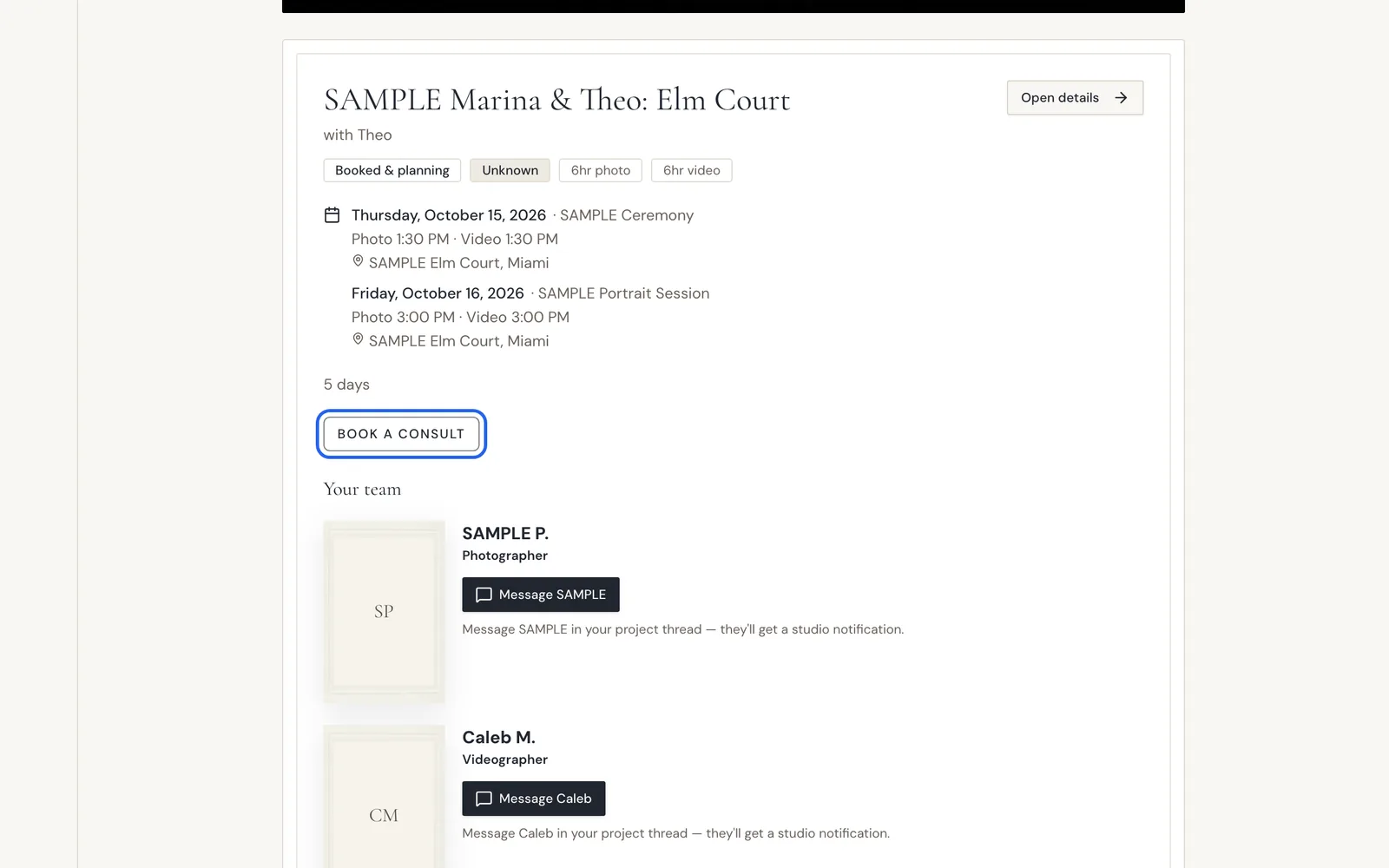
On your Home page, find your event card and choose Book A Consult to schedule your consultation.
Step 2
Pick A Day, Then A Time
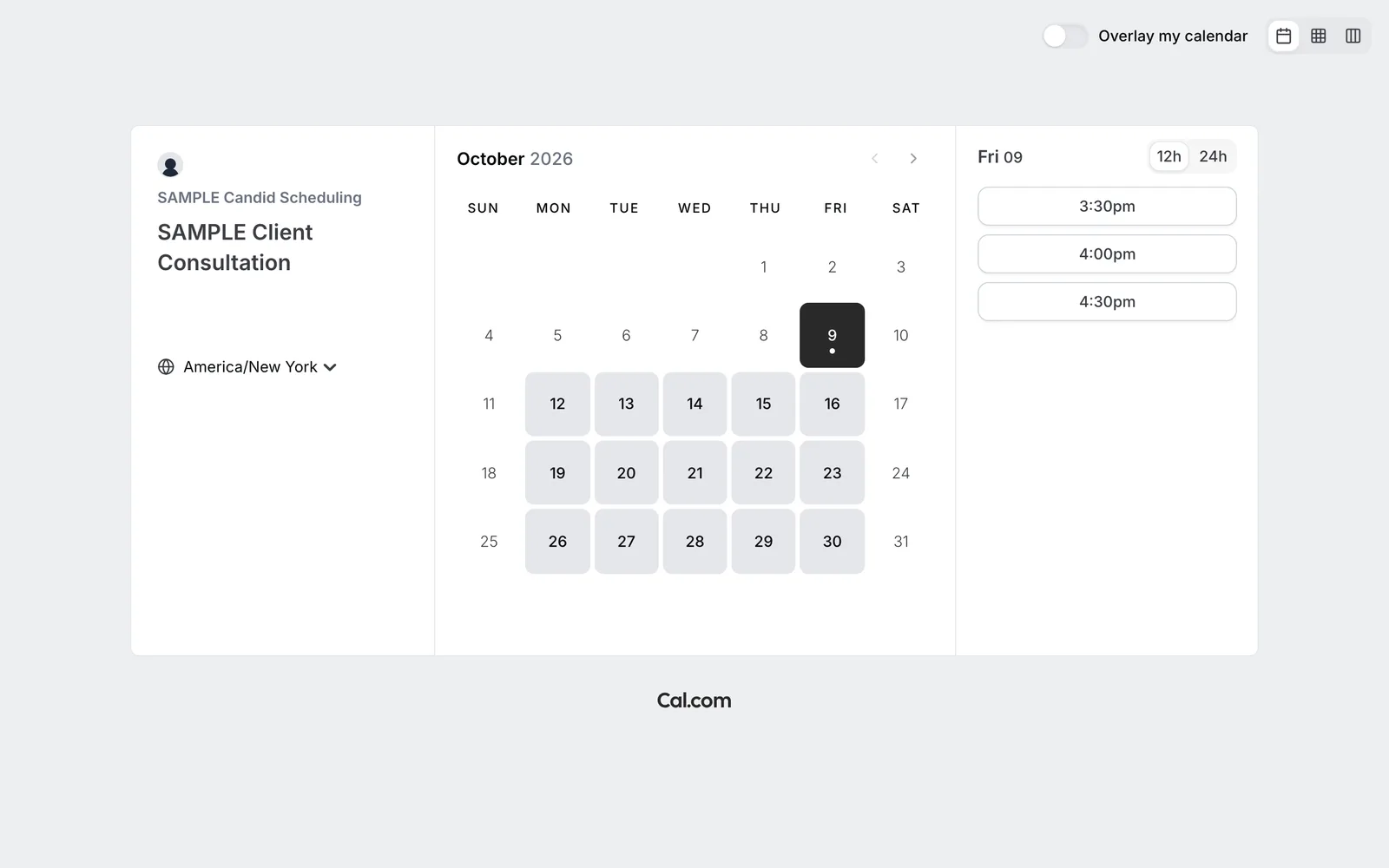
The scheduling page opens with a month calendar. Days with open times stand out. Choose a day, then choose a time from the list on the right. Use 12h or 24h to change how times are shown.
Step 3
Or Book From Your Questionnaire
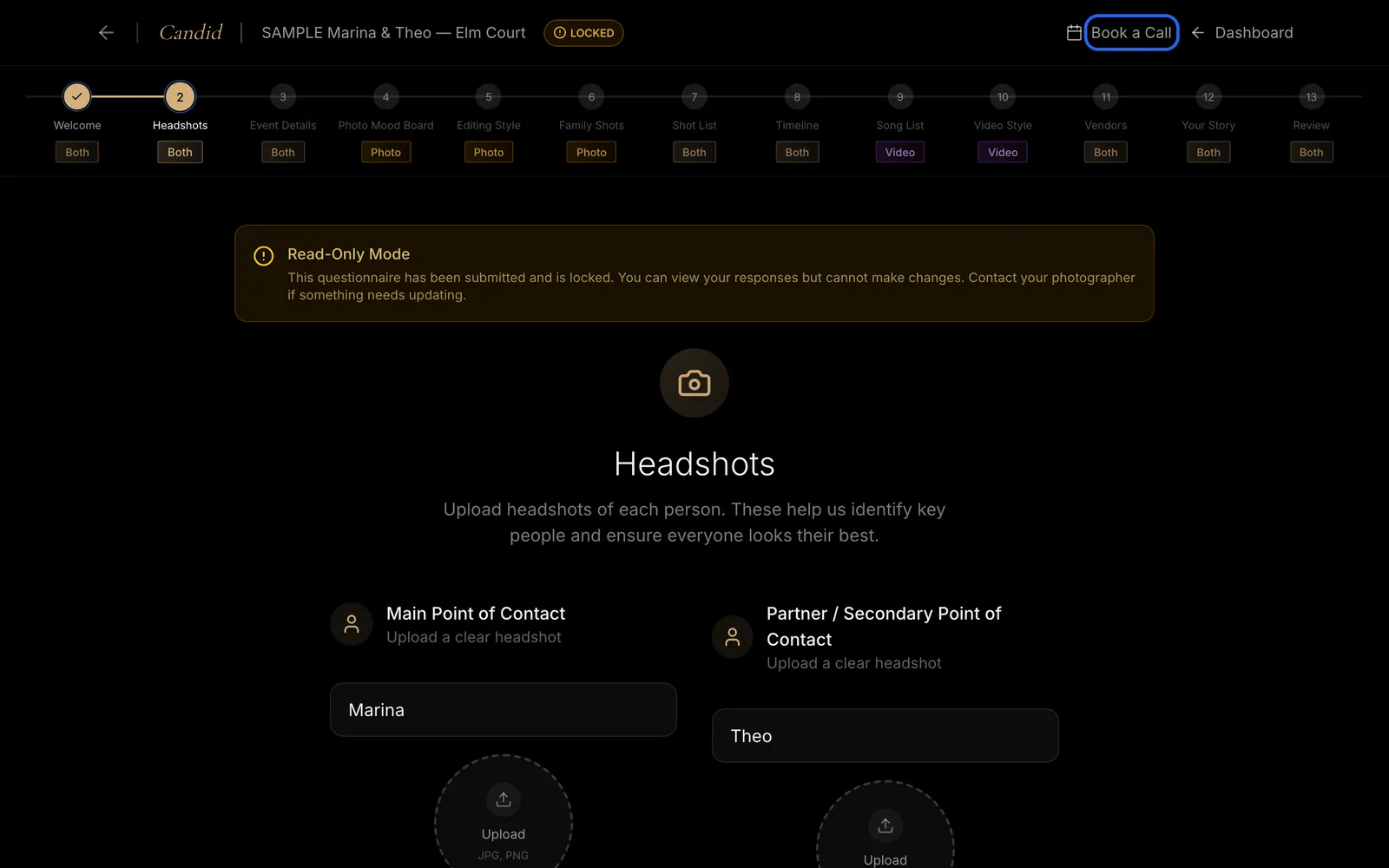
You can also schedule a consultation directly from your pre-production questionnaire. Choose Book a Call at the top.
Good To Know
- The scheduling page shows your time zone. If it is not right, change it before you choose a time.
- If none of the open times work for you, see How To Message The Candid Studios Team.
Frequently Asked Questions
Where do I find the booking button?
On your Home page, on your event card. You can also schedule a consultation directly from your pre-production questionnaire with Book a Call.
The times look wrong for where I live. What do I do?
The scheduling page shows a time zone under the call details. Change it to yours and the open times update.
Can I see times in 24-hour format?
Yes. Use the 12h and 24h switch above the list of times.
Still Need Help?
Message us from your client portal or email support@candidstudios.net.
Contact UsRelated Articles
- What To Expect After You Book With Candid StudiosFollow the Your Journey tracker in your client portal from booking to delivery, and see what to do at each stage.
- How To Message The Candid Studios TeamSend a message about your event from your client portal, or reach us by email.
- How To Complete Your Pre-Production QuestionnaireFill out the pre-production questionnaire to share your timeline, vendors, songs and must-have shots before your day.
Last updated 1 min read